
Download Kuaishou and Kwai Videos Without the Watermark
Save a Kuaishou or Kwai video with no platform logo on it. What the watermark actually is, what stays in the picture no matter what, and how to get a clean MP4.

Paste a Kuaishou or Kwai link below and save the MP4. The copies I have checked carry no platform logo, because the file comes from the public video page rather than from the app’s own save button.
Paste a Kuaishou or Kwai link
On iPhone, the file goes to the Files app (Downloads folder) first. See . Please save only videos you have the right to keep. how to move it to Photos .
Your browser may ask to allow multiple downloads. Choose Allow. On iPhone, Safari asks once for each file.
Recent on this device
Videos you look up appear here, so you can find them again later.
Stored only in this browser. It is never sent to us.
- No account needed
- Works in any browser
- Public videos only
- History stays on your device
Nothing is being removed
This matters, so it goes first. This tool does not erase a watermark from a video. It never has to.
When you save a video with Kuaishou’s or Kwai’s own in-app button, the app renders you a fresh copy with its logo and the creator’s ID stamped on top. That stamp is added at the moment you save. The video sitting on the public video page — the one anyone can watch in a browser without logging in — was never stamped in the first place. This tool fetches that one.
So there is no filter, no blur, no cropping, and no re-encoding that would soften the picture. You get the file the platform already serves.
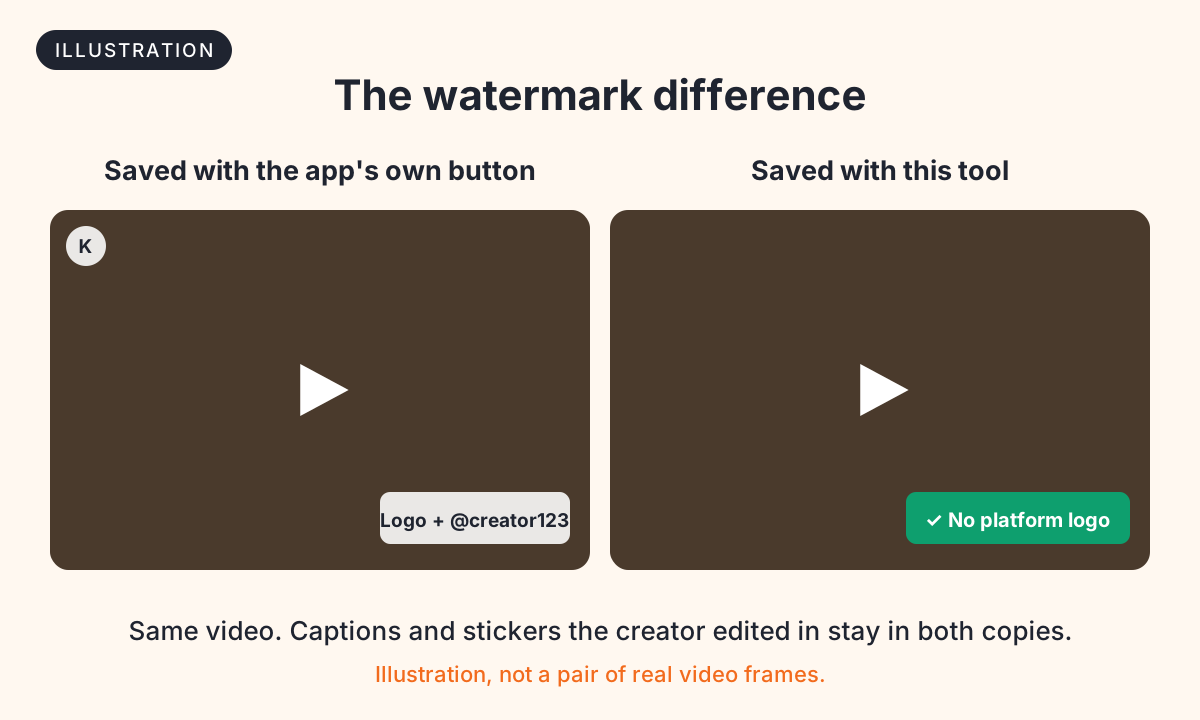
What goes, and what stays
| Saved with the app’s button | Saved here | |
|---|---|---|
| Platform logo | Yes | No |
| Creator ID stamped by the app | Yes | No |
| Captions the creator typed while editing | Yes | Yes |
| Stickers, text and effects added while editing | Yes | Yes |
| A name the creator burned across the frame | Yes | Yes |
Everything in bold is part of the picture itself. The creator baked it into the video before uploading, so it is as much a part of the frame as the person in it. Nothing can take it out without painting over it, and any service promising otherwise is either re-encoding your video badly or not telling you the truth.
If what you want gone is a creator’s own name across the middle of the shot, no downloader will do it, and I would rather say that here than let you try four sites to find out.
Why platforms stamp videos at all
Three reasons, and none of them are about you specifically:
- Attribution. The stamp names the creator, so a clip that travels still points home.
- Marketing. A logo on every reposted video is free advertising on competing platforms.
- Provenance. It marks where a clip came from, which matters when the same footage circulates with a false claim attached.
The third one is the reason I would not encourage stripping logos as a habit. A watermark is sometimes the only thing telling a viewer that a video came from a real account on a real platform.
Removing the logo does not change who owns it
A clean MP4 is still someone else’s work. Taking the platform logo off does not make the video yours, does not transfer any rights, and does not make reposting it as your own content acceptable — legally or otherwise.
Saving a public video to watch offline, to send to a friend, or to keep something you were in is ordinary. Reuploading it to another platform under your own name is not, and the fact that the file no longer carries a logo is not a defence. Is it legal to download Kuaishou videos? covers fair use, creator rights and how to credit properly.
What you actually get
Tested in October 2026:
| Kuaishou | Kwai | |
|---|---|---|
| Video | MP4 (H.264), often with a smaller H.265 copy too | One MP4 (H.264) |
| Resolution | 720 x 1280 | 720 x 1280 or 576 x 1024 |
| Cover image | Usually JPG | Usually WebP |
| Separate soundtrack | Yes, as M4A, when the post lists one | No |
| Platform logo | None | None |
The resolution is whatever the platform published. If a creator uploaded a 720p video, no downloader can hand you 1080p — anything claiming to “enhance” it is upscaling, which invents pixels rather than recovering them.
Saving the file on your device
- Android — download on Android, including getting the file into your gallery.
- iPhone and iPad — save to Photos. Safari puts downloads in Files first.
- PC and Mac — download on PC or Mac.
If the download fails
A link that will not resolve is almost never about the watermark. It is usually a private video, a deleted one, a profile link instead of a video link, or a live stream. Download not working goes through each case, and supported link formats shows which link shapes work.
Related
- Kwai video downloader — the Kwai-specific page, with Kwai’s link formats and quirks.
- How to download Kuaishou videos — the step-by-step, with the Chinese menu labels.
- Kuaishou vs Kwai — which app you are actually holding.